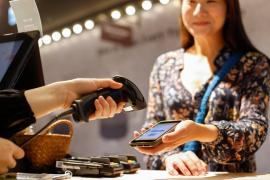
Always Ready to Pay
Introduction
Take the convenience and security of your Visions credit and debit cards with you, wherever you go!
Use your payment-enabled cell phone or wearable device to pay quickly and easily with your Visa® card from Visions. All transactions are backed by the security of Visa, supported by our Fraud Monitoring program, and can be included in your transaction Alerts in digital banking.
Smart Phone. Smart Watch. Smart Shopping.
Choose from the following payment options and add your Visions cards to your mobile wallet for convenient payments at your fingertips.
Open your mobile payment or wallet app, then open the link to add a payment card to your device. From there, you can "Tap to Add" – simply tap your card on the back of your compatible phone to add it! – or enter your card details manually to get started with secure payments from your favorite devices.
Apple Pay™
Pay the way that works for you. Faster and easier than using cards or cash, make payments using your iPhone or Apple Watch.

Google Pay
Use it in stores, use it online, use it in apps. It's simple, convenient, and secure.

Samsung Pay™
Want a convenient payment method that's available wherever you go? Look no further.

Garmin Pay™
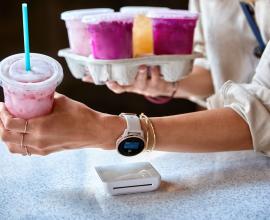
No wallet? No phone? No problem. Garmin Pay lets you make purchases quickly and almost effortlessly with nothing needed but your compatible Garmin watch.

Tap to Pay with your Fitbit
Access your credit and debit cards – all from your wrist and without your wallet!
Use the Google Wallet app on your compatible Fitbit smartwatch to make contactless payments anywhere Google Pay is accepted.

CashBack+ Pay
Earn cash back while shopping participating brands – through our CashBack+ rewards program!
Download the CashBack+ Pay app to make payments online or in person from your compatible smart phone using brand-funded gift cards. Simply purchase the digital gift cards through the app with funds from your Visions savings or checking account – and enjoy instant cash back! Then, if you're checking out in person, scan the bar code on your mobile device to make your payment.
Through select brands, you can even purchase your gift card for the exact amount of your checkout total, so you won't have to deal with a remaining balance! To start using CashBack+ Pay, enroll in digital banking today and download the pay app.