Garmin Pay™ Contactless Payments
Introduction
Garmin Pay is a contactless payment solution designed for people who are always on the move.
Whether you grab a cup of coffee after your morning run or get a bite to eat while out on a ride, Garmin Pay lets you make purchases quickly and almost effortlessly with nothing needed but your watch. No wallet? No phone? No problem.


Pay for your purchases
Your Garmin device is already an important part of your everyday life, but with Garmin Pay contactless payment solution, you’ll have more uses for it than ever before. It’s a faster, more secure, convenient way to pay from your Visions account.
- Easy to connect – You can link any of your Visions credit cards or debit cards to Garmin Pay in just a few steps.
- Easy payments – There's no need to take your wallet or smartphone with you. Your watch is enough to pay for goods and services and take advantage of your Visa® debit card and credit cards at contactless payment terminals
- Secure payments – Visa's security system replaces your card information with a unique set of numbers (a token). So you can pay for purchases without worrying that your card information will end up in the hands of criminals.
How to connect Garmin Pay
- Download the Garmin Connect app on your smartphone
- Open the app, go to the Garmin Devices section, and find your compatible watch
- Click on Garmin Pay and follow the instructions for connecting your Visa card
- Continue taking advantage of the perks and Rewards your card offers!
Need help getting started? Check out this video guide: How to Set Up Garmin Pay.
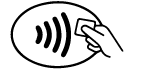
Look for this icon at checkout
Garmin Pay works wherever contactless payments are accepted. Look for this symbol near a cash register or on payment terminals.
Don't have the Visions FCU Mobile app yet?
Frequently Asked Questions
-
What if I lose my Garmin device or Visions card?
If you lose your Garmin device or Visions card, you should mark the card as lost/stolen using Card Controls in digital banking or by calling our Card Support Hotline so your Visions card will be deactivated – preventing payments from the physical card and Garmin Pay. You will be issued a new card that you will easily be able to enroll in Garmin Pay again!
-
Will Garmin Pay or merchants have access to my Visions account information?
Garmin Pay™ mobile payment solution is considered to be a secure way to make purchases with your Garmin watch. It is important to note the following security focused measures that are taken when using Garmin Pay:- When adding a credit card to your wallet via the Garmin Connect™ app, information from the card is not being stored or shared with Garmin
- Upon accepting the terms and conditions from the issuing bank, some issuers will require identity verification in order to complete the tokenization process in the Garmin Pay wallet
- The Garmin Pay wallet requires passcode authentication, set up by the user in order to access the wallet in the Garmin Connect app. The same passcode is required to access the wallet on the Garmin watch. For payments, the passcode is required once per day while wearing the watch and each time when the watch is detected off of the wrist.
- As an added security measure, you can suspend or remove a card from Garmin Pay at any time by using the Garmin Connect app. Either option will disable the card(s) on the Garmin watch making it unable to be used at a merchant's payment terminal.
-
How can I get more support for using Garmin Pay?
Please refer to the Garmin Support Center for any assistance with your Garmin device and Garmin Pay.